VRChat

VRChat用 リボン&ベルチョーカー Ribbon & Bell Choker【パープル/ブラック 2色】

  • ダウンロード商品
    ¥ 800

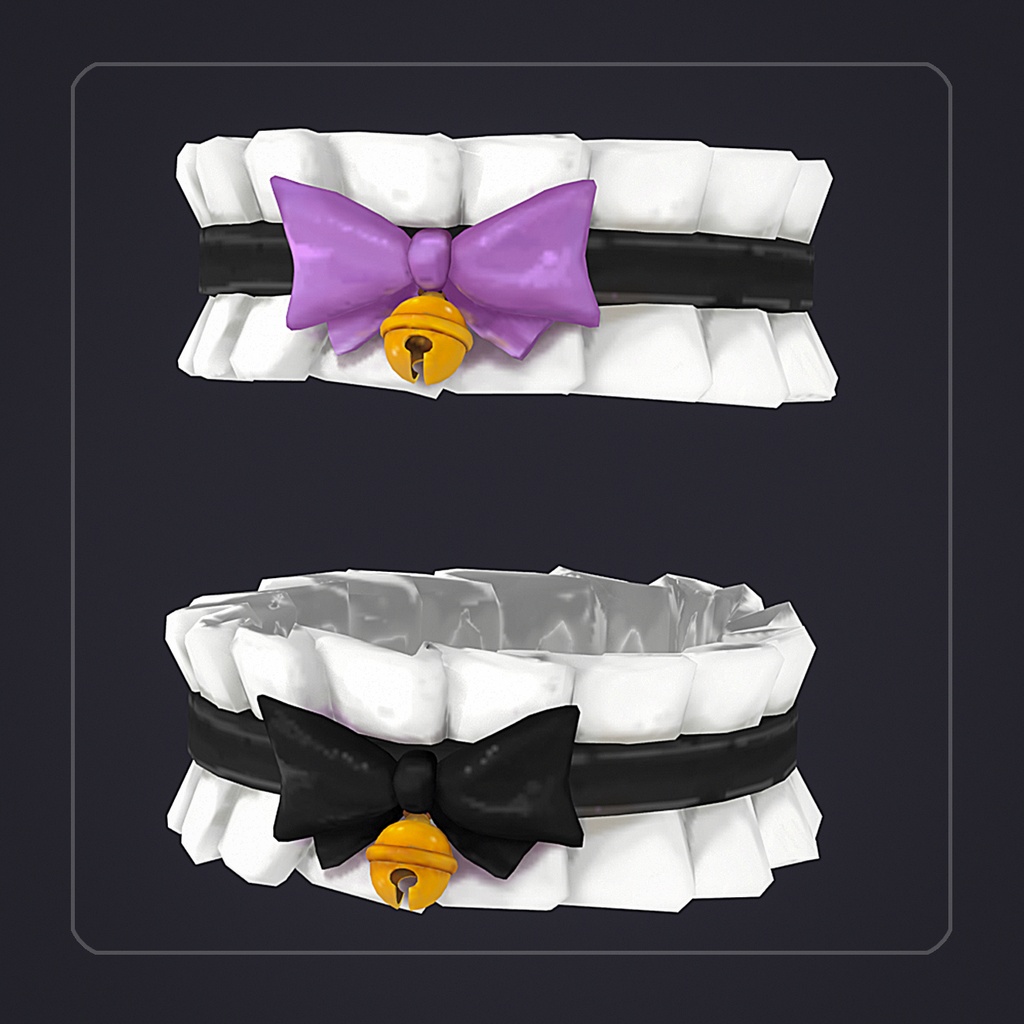
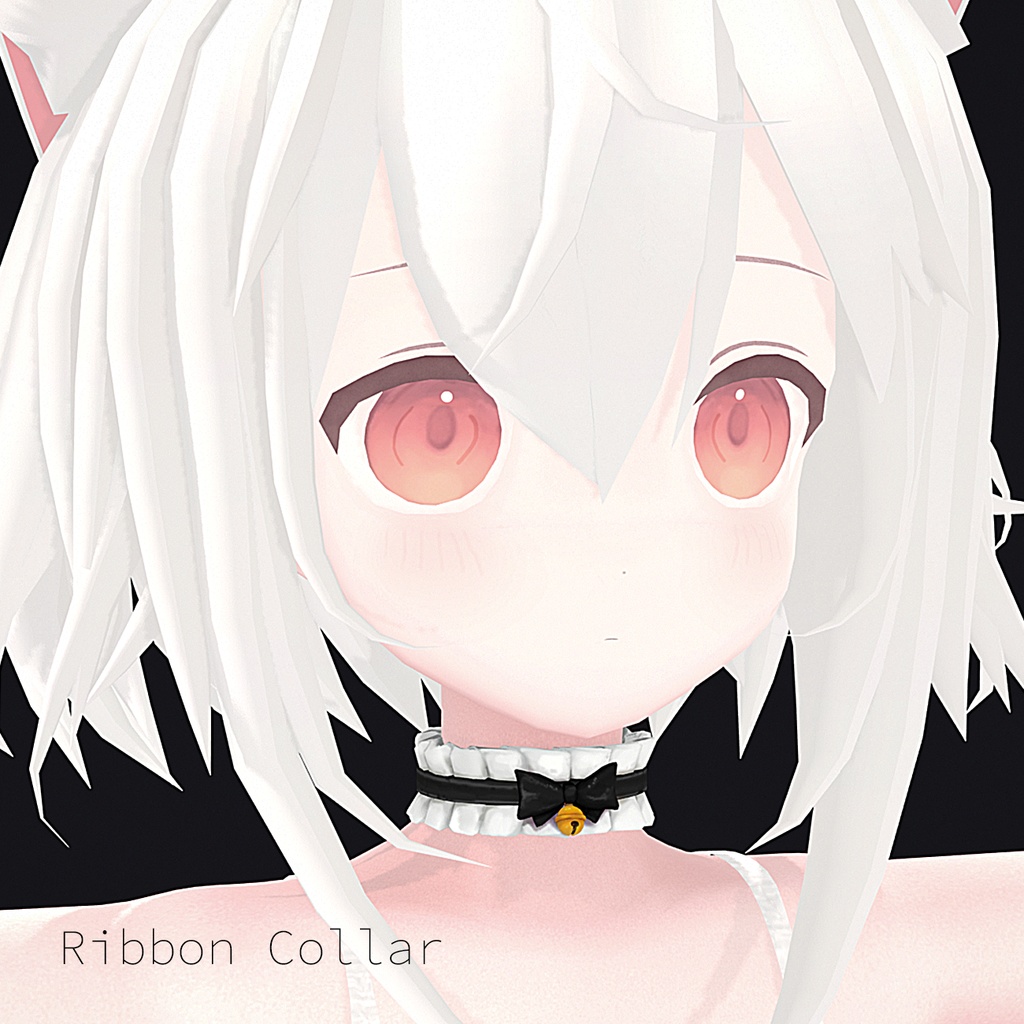
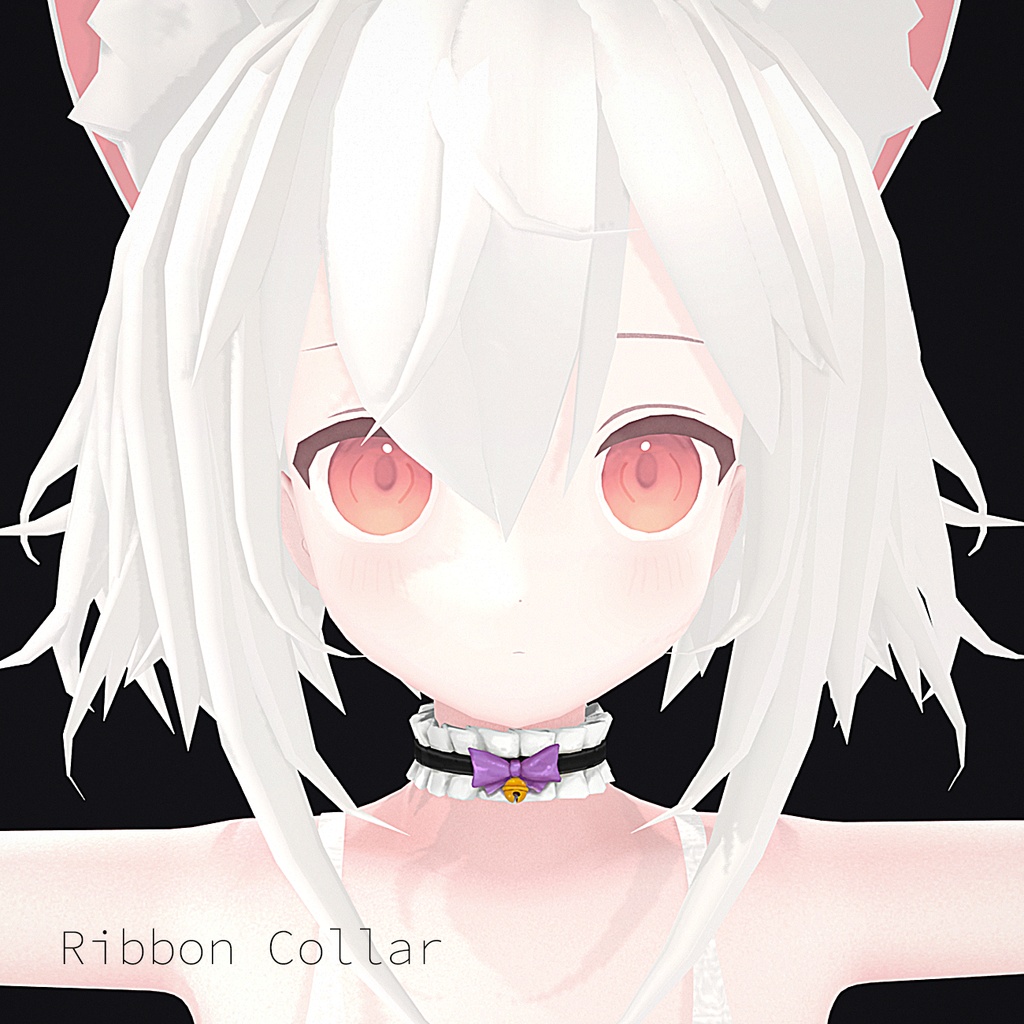
Hand-painted ribbon & bell choker for VRChat avatars — Purple & Black, 2 Colors Included. Features: Fully hand-painted texture, including the ruffled trim, ribbon, and bell Includes both purple and black bow color options Freely scalable — resize in Unity to fit your own avatar's proportions Attaches to your avatar's Neck bone via Modular Avatar (Bone Proxy) — works with any humanoid-rigged avatar Requires the free Poiyomi Toon Shader (download shortcut included in the file) Included in the download: .blend file .unitypackage (Purple version + Black version) Shortcut to download Poiyomi Toon Shader How to use: Import the unitypackage into your Unity project Pick a color and drag that prefab onto your avatar Attach it to your avatar's Neck bone (drag your avatar's Neck bone into the Bone Proxy component's Target field) Scale it in Unity to match your own avatar's neck size For personal avatar customization. Please don't resell or redistribute the file itself. 日本語: 【商品説明】 VRChat用 手描きリボン&ベルチョーカー — パープル&ブラック 2色セット 【特徴】 ・フリルの縁取り、リボン、ベルまで全て手描き ・パープルとブラック、2色のリボンをご用意 ・拡大縮小自由 — Unity上でご自身のアバターのプロポーションに合わせて調整可能 ・Modular Avatar(Bone Proxy)でNeckボーンに装着 — ヒューマノイドリグのアバターなら対応可能 ・無料のPoiyomi Toon Shaderが必要です(ダウンロード用ショートカットを同梱) 【同梱内容】 ・.blendファイル ・.unitypackage(パープル・ブラック 各バージョン) ・Poiyomi Toon Shaderダウンロード用ショートカット 【使い方】 ①unitypackageをUnityプロジェクトにインポート ②好きな色のプレハブをアバターにドラッグ&ドロップ ③アバターのNeckボーンに接続(Bone ProxyコンポーネントのTargetフィールドにNeckボーンをドラッグ) ④Unity上でご自身のアバターの首のサイズに合わせて拡大縮小してください 個人のアバターカスタマイズ用途に限ります。ファイル自体の再販・再配布はご遠慮ください。
VRChat用 リボン&ベルチョーカー Ribbon & Bell Choker【パープル/ブラック 2色】
Hand-painted ribbon & bell choker for VRChat avatars — Purple & Black, 2 Colors Included. Features: Fully hand-painted texture, including the ruffled trim, ribbon, and bell Includes both purple and black bow color options Freely scalable — resize in Unity to fit your own avatar's proportions Attaches to your avatar's Neck bone via Modular Avatar (Bone Proxy) — works with any humanoid-rigged avatar Requires the free Poiyomi Toon Shader (download shortcut included in the file) Included in the download: .blend file .unitypackage (Purple version + Black version) Shortcut to download Poiyomi Toon Shader How to use: Import the unitypackage into your Unity project Pick a color and drag that prefab onto your avatar Attach it to your avatar's Neck bone (drag your avatar's Neck bone into the Bone Proxy component's Target field) Scale it in Unity to match your own avatar's neck size For personal avatar customization. Please don't resell or redistribute the file itself. 日本語: 【商品説明】 VRChat用 手描きリボン&ベルチョーカー — パープル&ブラック 2色セット 【特徴】 ・フリルの縁取り、リボン、ベルまで全て手描き ・パープルとブラック、2色のリボンをご用意 ・拡大縮小自由 — Unity上でご自身のアバターのプロポーションに合わせて調整可能 ・Modular Avatar(Bone Proxy)でNeckボーンに装着 — ヒューマノイドリグのアバターなら対応可能 ・無料のPoiyomi Toon Shaderが必要です(ダウンロード用ショートカットを同梱) 【同梱内容】 ・.blendファイル ・.unitypackage(パープル・ブラック 各バージョン) ・Poiyomi Toon Shaderダウンロード用ショートカット 【使い方】 ①unitypackageをUnityプロジェクトにインポート ②好きな色のプレハブをアバターにドラッグ&ドロップ ③アバターのNeckボーンに接続(Bone ProxyコンポーネントのTargetフィールドにNeckボーンをドラッグ) ④Unity上でご自身のアバターの首のサイズに合わせて拡大縮小してください 個人のアバターカスタマイズ用途に限ります。ファイル自体の再販・再配布はご遠慮ください。